 Charm
Let guests order from the table — straight to your kitchen.
Every table gets its own QR code. Guests scan, order and ask for the bill from their phone. You see it all live — no hardware to buy, and guests don’t need an account.
Android app (APK) · or use Charm in any browser, including iPhone.
Everything a busy dining room needs
Built for the way restaurants actually run — from the first scan to the receipt.
A QR code for every table
Print branded cards, two per A4 page, sized to fit any table and large enough to scan from a seat.
Live orders with an alert
New orders appear instantly and buzz your phone. Accept, prepare and serve in a tap — guests are notified at every step.
Floor plan & table status
Drag tables into place across multiple floors. See at a glance which are free and which are occupied.
Bill requests & receipts
Guests tap “Request the bill” and you’re pinged. Every order has a receipt they can screenshot or save as a PDF.
Answer “where’s my food?”
Guests can nudge you if an order is slow. Reply with a quick tap instead of walking over to explain.
Sales you can read
See what sells, when it sells, and export your sales to a spreadsheet whenever you need it.
Up and running in an afternoon
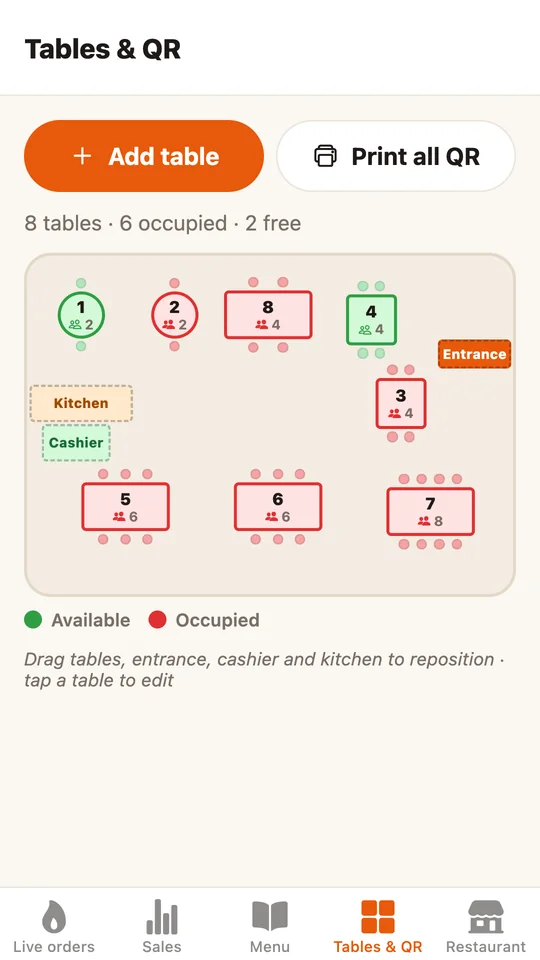
1Set up your tables
Add your menu and tables, arrange them on the floor plan, then print the QR cards.
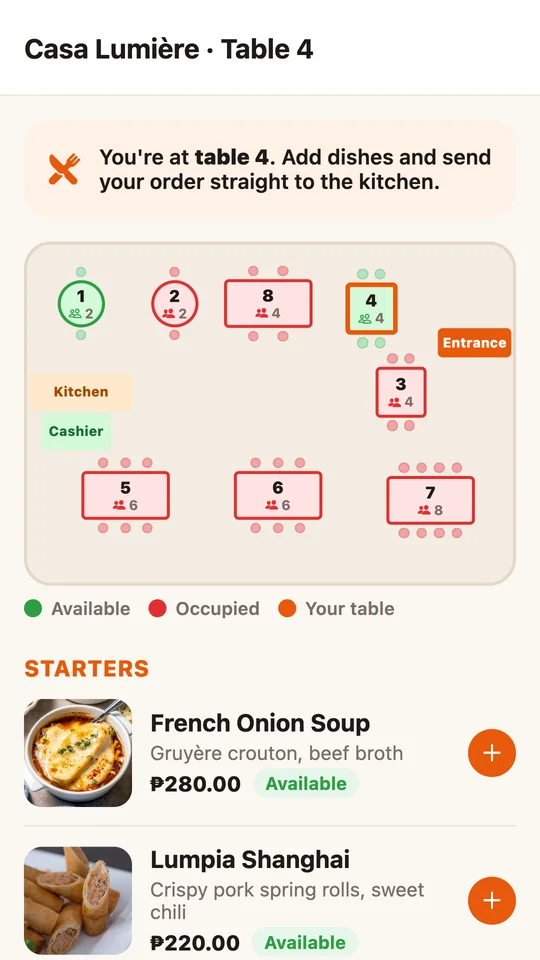
2Guests scan & order
They scan the code, pick their dishes and send the order — with just a nickname, no sign-up.
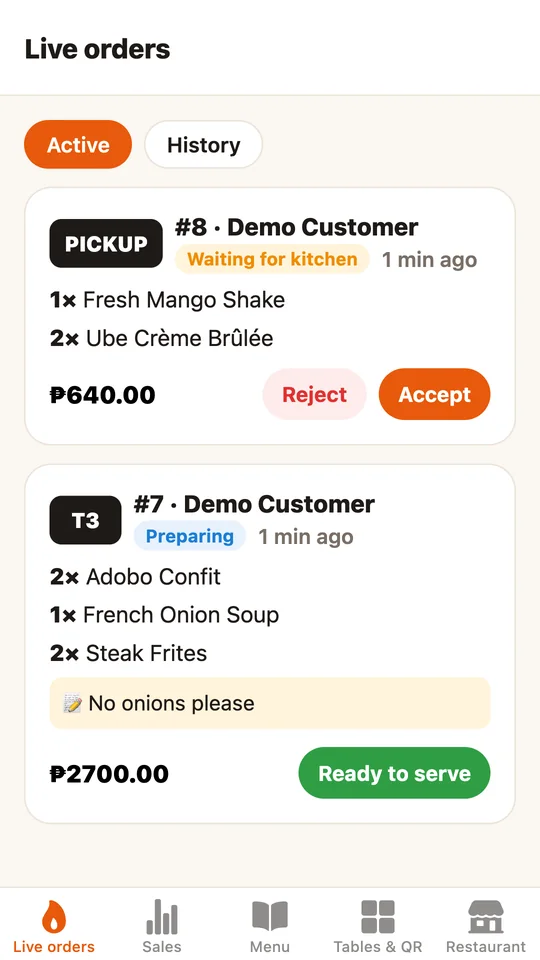
3You cook & serve
Orders land on your live board. Accept, prepare, serve — and the guest sees every step.
Install the app, or just open it in your browser
Both versions work the same and share the same account and orders.
Android app
Download APK- Download the file and open it.
- If Android asks, allow “Install unknown apps” for your browser.
- Tap Install, then open Charm and sign in.
Web version
Open the web app- Open the web app and sign up as a restaurant.
- Add your menu and tables.
- On a phone, use Add to Home Screen to keep it like an app.